How to Make a Website for Your Small Business
Plan your pages, pick a template, write the words, add a contact form or booking, buy a domain and go live. A practical guide you can finish in a weekend.
· 9 min read
You can make a good small business website in a weekend without hiring anyone and without paying a monthly website builder fee. The short version: decide which pages you need, start from a complete template made for your kind of business, replace the words and photos with your own, connect the contact or booking form, put it on a host, and point your own domain at it. Expect two or three focused days if you write your own copy, and a running cost of little more than the domain name.
This guide walks through each step in order, with the decisions that actually matter for a small business.
1. Decide what the site has to do#
Before you think about colours, write down the one thing you most want a visitor to do. For most small businesses it's one of these:
- Call or message you (a plumber, electrician, cleaner, solicitor)
- Book a time (a salon, clinic, coach, tutor, physiotherapist)
- Reserve a table or order (a restaurant, café, bakery)
- Ask for a quote (a builder, designer, agency, photographer)
That action decides what goes at the top of every page and what the main button says. A site that tries to make "Learn more", "Follow us" and "Book now" equally important usually gets none of them.
2. Plan your pages#
Most small business sites need five to eight pages. More pages are fine if each one answers a question customers really ask; fewer is fine if you do one thing.
| Page | What it answers |
|---|---|
| Home | What you do, where, for whom, and how to get started |
| Services (or Menu) | What you offer, ideally with prices or "from" prices |
| About | Who's behind the business and why people should trust you |
| Reviews or Results | Proof from real customers |
| Contact | Phone, email, address, opening hours, a form and a map |
| Booking, Quote or Reservations | The main action, on its own page |
| 404 | A friendly page for broken links |
Two pages are worth adding if they fit your business:
- Service areas, if you travel to customers. List the towns or postcodes you cover. People search for "electrician in [town]", and a page that names the town helps.
- One page per main service, if you offer several distinct things. "Boiler repair" and "bathroom renovation" are different searches with different customers.
Sketch the menu on paper before you open any software. Keep it to five or six items; put everything else in the footer.
3. Pick a template made for your kind of business#
Starting from a blank page is where most small business websites stall. A complete template gives you every page above already designed and linked, so your job becomes editing rather than designing.
Look for a template built for a business like yours, because the useful features differ:
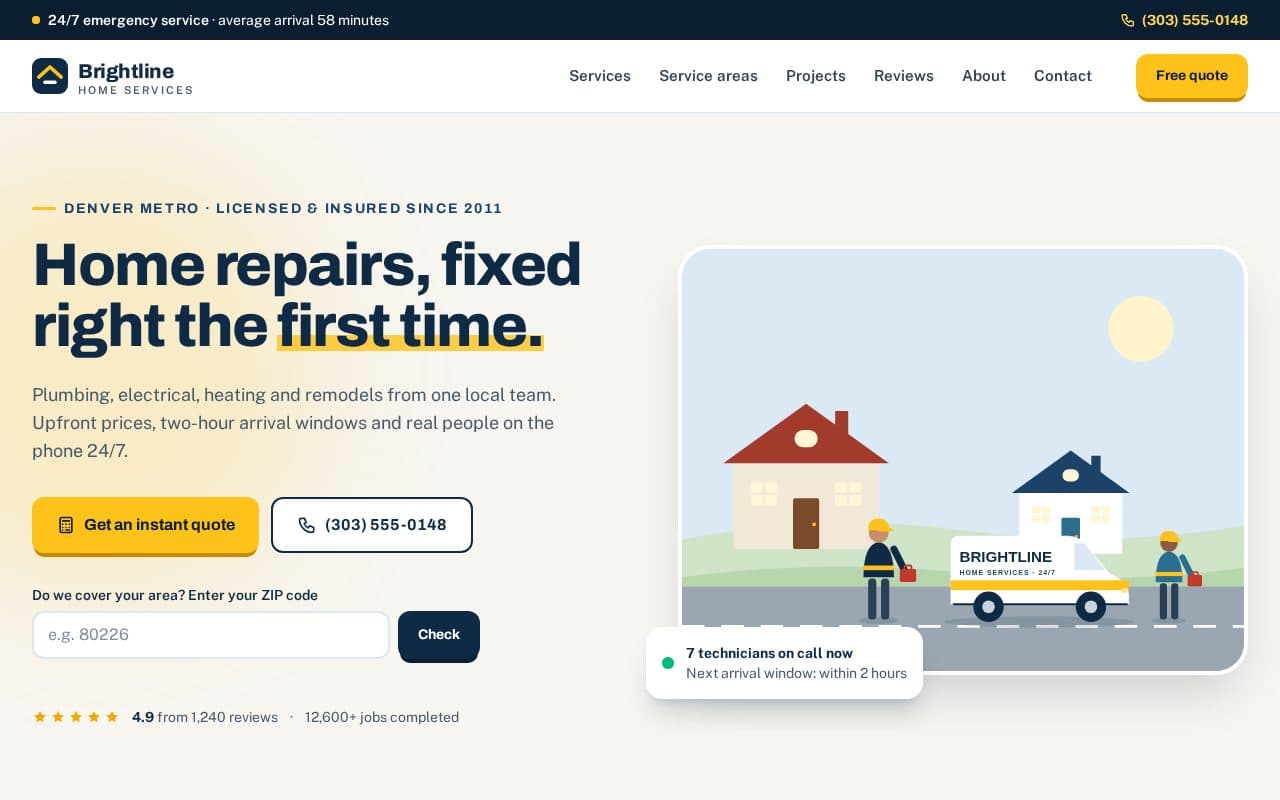
- A trades business needs a call button that's always visible, a service-area checker and a quote form. Handy is built for plumbers, electricians and renovation firms, with a 24/7 call bar, a ZIP code coverage checker, price tables and an instant quote calculator.
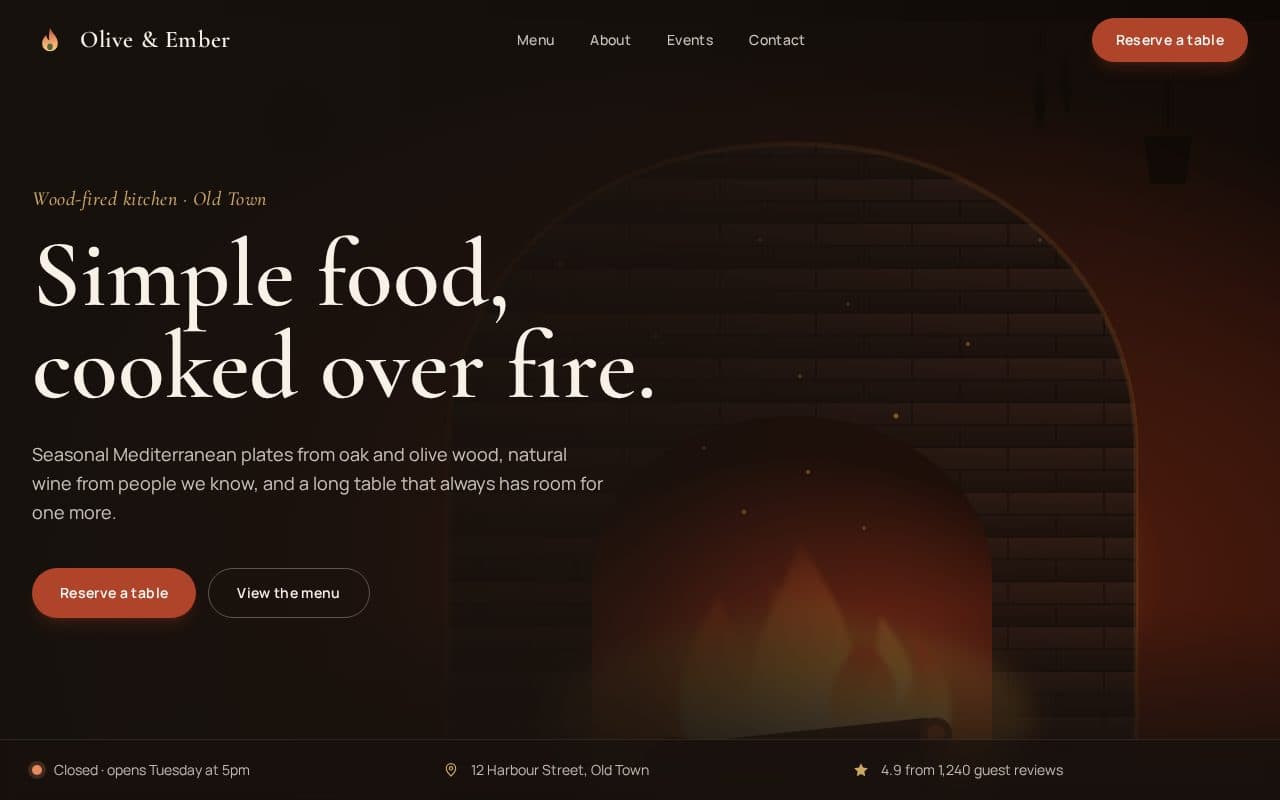
- A restaurant needs a menu people can read on a phone, opening hours and reservations. Bistro has a tabbed menu with dietary filters, a reservation form that only offers times when you're open, and a live "Open now" badge.
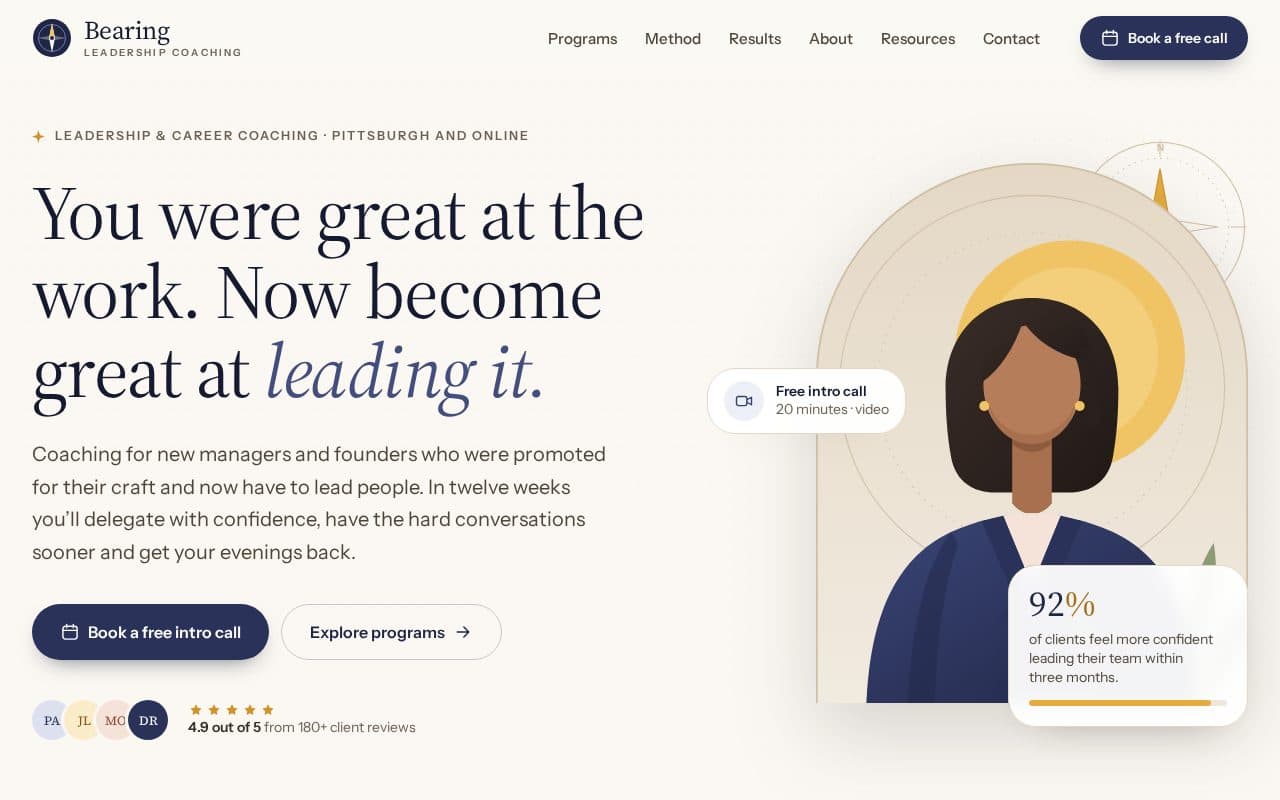
- A coach, consultant or therapist needs a clear offer and a booking flow. Compass has programme pages, client stories and a four-step booking flow that shows time slots in the visitor's time zone.
Browse business templates for law firms, agencies, architects and estate agents, or health and fitness templates for clinics, salons and gyms. Click through every page of the live preview on your phone before you choose: that's how most of your customers will see it.
Which version should you download?#
Freeframe templates come in four versions with the same pages. If you're not a developer, choose one of two:
- HTML + Tailwind CSS if you're happy editing text files. There's nothing to install: open
index.htmlin a browser, change the words in any text editor and upload the folder. - WordPress if you already have WordPress hosting or want to edit pages in a visual editor. See how to install a WordPress block theme.
Next.js and Astro suit developers who want reusable components. Next.js vs Astro vs HTML compares them if you're unsure.
4. Write the content before you polish the design#
Words sell a small business far more than fonts do. Write them in a document first, page by page, then paste them in.
Home page. Answer four questions in the first screen: what you do, where, why you rather than the next search result, and what to do next. "Emergency plumber in Leeds, at your door within 2 hours, fixed prices before we start" beats "Quality solutions for all your needs".
Services. One short section per service: what it is, who it's for, roughly what it costs and how long it takes. Prices, even "from £80", cut down time-wasting enquiries and build trust. If you really can't price it, explain what the price depends on.
About. A real photo of you or your team, how long you've been trading, qualifications, memberships and insurance. Keep it about the customer: "Fully insured, Gas Safe registered, 12 years in Leeds" matters more than your origin story.
Reviews. Copy a handful of genuine reviews (with permission) and link to your Google or Trustpilot profile. Specific reviews ("fixed our boiler on Christmas Eve") are worth more than five-star adjectives.
Contact. Phone number as a tappable link, email, full address if customers visit, opening hours and how quickly you reply.
A few rules that apply everywhere:
- Write the way you'd talk to a customer on the phone.
- Use the words customers search for ("dentist", not "oral health provider").
- Put your town or area in the page titles and headings where it's natural.
- Use your own photos where you can. A slightly imperfect photo of your actual van beats stock photography.
5. Customise the template#
With the words ready, make the template yours:
- Rebrand. Search the whole folder for the template's fictional business name and replace it with yours. Then change the logo, the favicon and the brand colours, which live in one place in the stylesheet. The customising guide shows where everything is, and customising a Tailwind template walks through it step by step.
- Paste in your content, page by page. Delete sections you don't need rather than leaving placeholder text.
- Swap the images. Export photos at the size they're shown and write short
alttext that describes each one. - Update the details that hide in the footer and head: phone numbers, addresses, social links, page titles and meta descriptions. The SEO guide lists every tag to change.
6. Add a contact form or booking#
Every Freeframe form validates in the browser, but nothing is sent until you connect it to a backend. You have three practical options:
- A form service such as Formspree or Basin, which emails each submission to you. This works on any host and takes about ten minutes.
- Netlify Forms, if you host on Netlify. Add one attribute to the form and submissions appear in your Netlify dashboard.
- A booking tool such as Calendly or Cal.com, if you take appointments and want calendar sync, reminders and payments. Link the template's "Book" buttons to your booking page, or embed it on the booking page.
How to add a contact form to a static website covers the first two in detail, with spam protection, and the forms docs show where to change the code in each template.
Whatever you choose, send yourself a test enquiry from your phone and check it arrives, including in your spam folder.
7. Get a domain name#
Your domain is your business's address online, and you keep it if you ever change host. Some tips:
- Choose the shortest version of your business name that's available. Add your town if you need to
(
smithplumbingleeds.co.uk). - Use a country domain such as
.co.ukif you only serve one country;.comis fine everywhere. - Avoid hyphens and unusual spellings you'd have to explain over the phone.
- Compare the renewal price, not just the first-year offer, and turn on auto-renew.
- Register it in your own name with an email address you'll always have access to, not your web designer's.
How to connect a custom domain explains buying one and pointing it at your host.
8. Choose hosting#
A template site is static: plain files with no database. That means hosting can cost nothing, it's fast, and there's very little to hack or update.
For a business, check the host's terms. At the time of writing, Vercel's free Hobby plan is for personal, non-commercial use only, and GitHub Pages isn't meant for running an online business. Netlify's free plan and Cloudflare Pages are common choices for a small business site, and each gives you free HTTPS.
How to host a static website for free compares the options with step-by-step instructions, and the deploying docs cover every Freeframe stack. If you chose WordPress, you'll need WordPress hosting instead.
9. Launch, then tell people#
Before you share the link:
- Click every link and button on a phone and on a computer.
- Submit every form and check the email arrives.
- Replace any leftover demo names, prices, addresses and phone numbers.
- Check the page titles and descriptions read well, because they're what appears in Google.
- Make sure HTTPS works and both
wwwand the bare domain go to the same site.
The website launch checklist has the full list.
After launch:
- Create or update your Google Business Profile and add the website link. For a local business it often brings more visitors than the site itself ranks for.
- Add the link to your social profiles, email signature, invoices, van and business cards.
- Submit your sitemap in Google Search Console so you can see which searches find you.
- Ask happy customers for reviews, and add the best ones to the site every few months.
FAQ#
How much does a small business website cost?#
With a free template and free static hosting, the main cost is the domain name, paid yearly. You may also pay for a booking tool or a form service once you outgrow their free plans. Premium templates and paid hosting plans are optional.
Do I need to know how to code?#
Not to edit an HTML template's words, images and links: that's typing into a text file. Changing layouts takes a little HTML. If you'd rather never see code, use the WordPress version and edit pages in the block editor.
How long does it take?#
A weekend for a five to eight page site if your content is ready. Writing the words usually takes longer than building the site, so start there.
Will my website show up on Google?#
Usually within days to a few weeks for searches that include your business name. Ranking for "plumber in [town]" takes longer and depends on your Google Business Profile, reviews and useful service pages as much as the website itself.
Next steps#
Pick a starting point from the business templates, or open Handy, Bistro or Compass and click through the preview. When you've downloaded one, Getting started gets it running on your computer in a few minutes.